



How to Register on BeeWhere
1. Go to BeeWhere
https://beewhere.calagpermits.org/
Note: Credit cards, debit cards, and eChecks will be accepted as payment through a CDFA payment portal on BeeWhere. There will be a convenience fee associated with credit card/debit card transactions of 2.99%

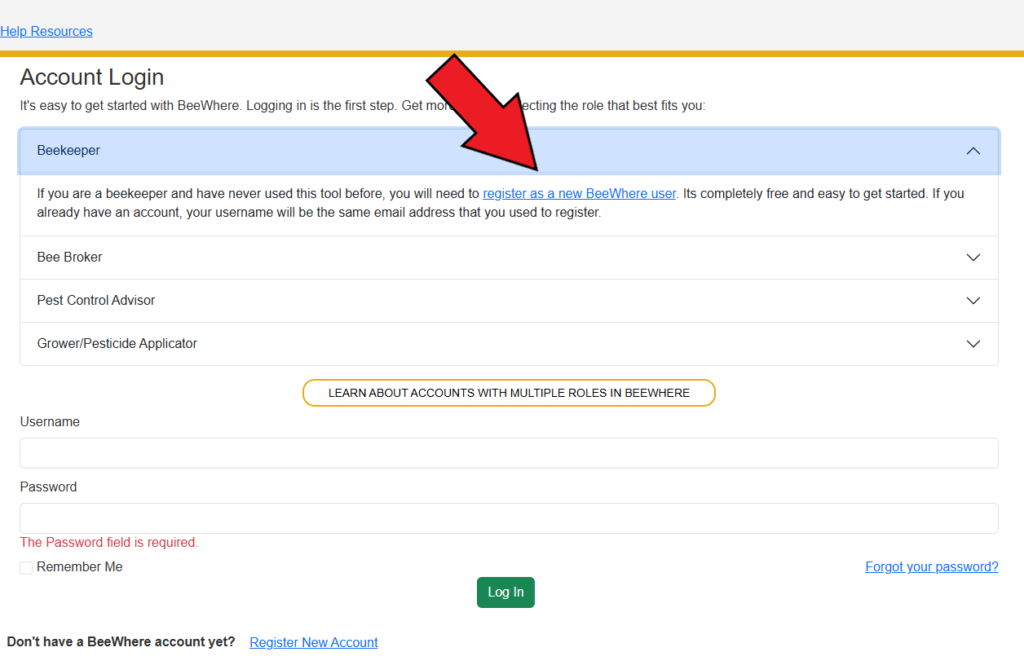
2. Click on "Beekeepers Click Here"

3. Click on "Register as a new BeeWhere user" if you have not used BeeWhere before.
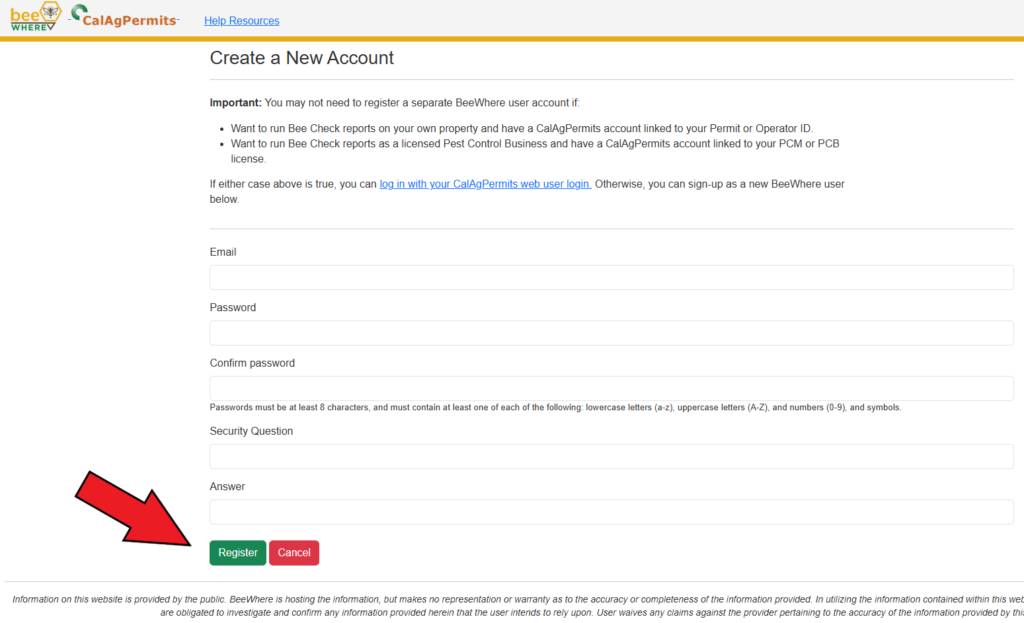
4. Enter your Email*, Password, Security Question, and click "Register".
*NOTE: The email you enter will become your Username
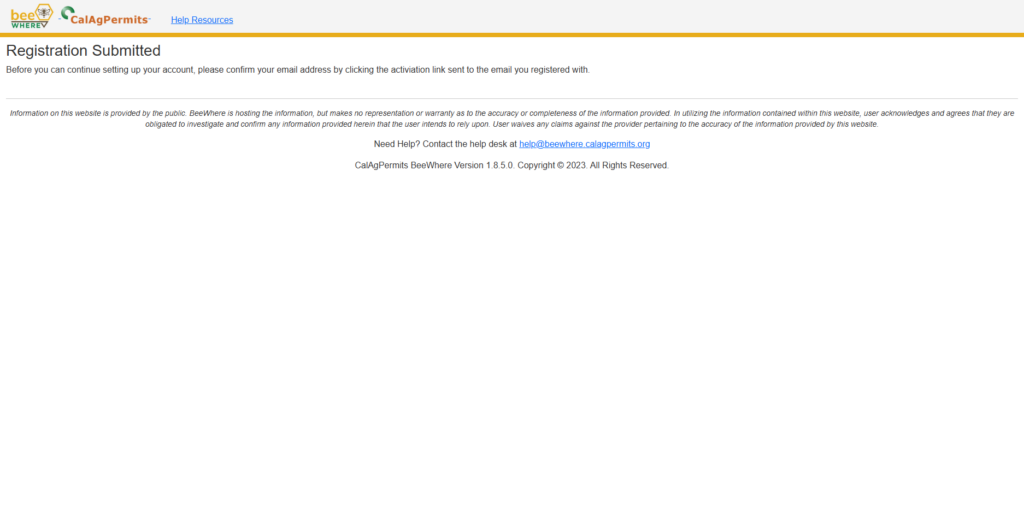
5. Check your inbox for an email from BeeWhere
Click on the link provided in the email to verify your account.
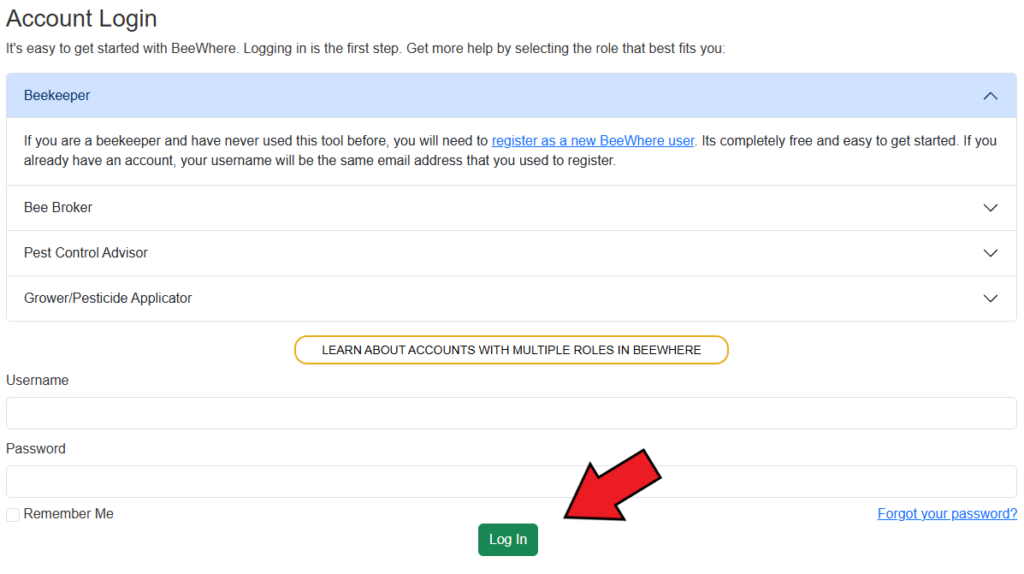
6. Log In
Enter the Username and Password created in step 4 and click "Log In". Then click "Beekeeper" if given the option.
7. Follow the step below that applies to you
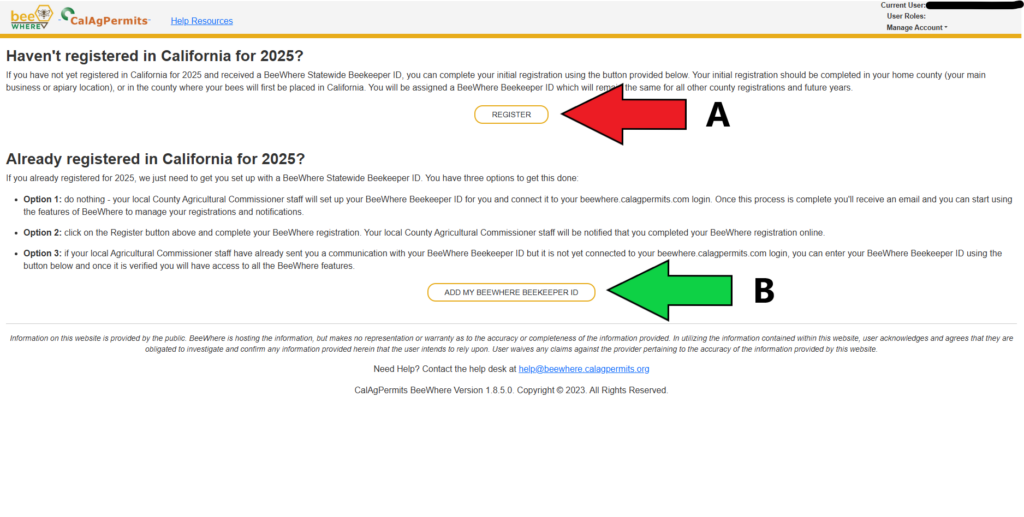
A: If you have never sent in an Annual Apiary Registration to your home county, click "REGISTER". Fill in all the applicable fields, click "Submit" and skip to step 9.
B: If you have previously submitted an Annual Apiary Registration to your home county, click "ADD MY BEEWHERE BEEKEEPER ID". Enter your Beekeeper ID and click "Submit Request". Once your account is approved, continue to step 8. If you do not know your Beekeeper ID, call our office at (626) 459-8894.
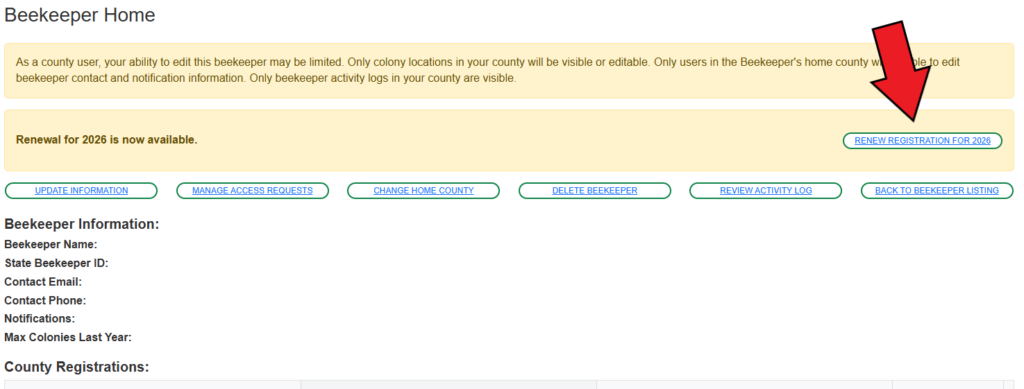
8. Renew your Beekeeper registration
On the Beekeeper home page, click "RENEW REGISTRATION" in the top right corner and fill in all applicable fields.
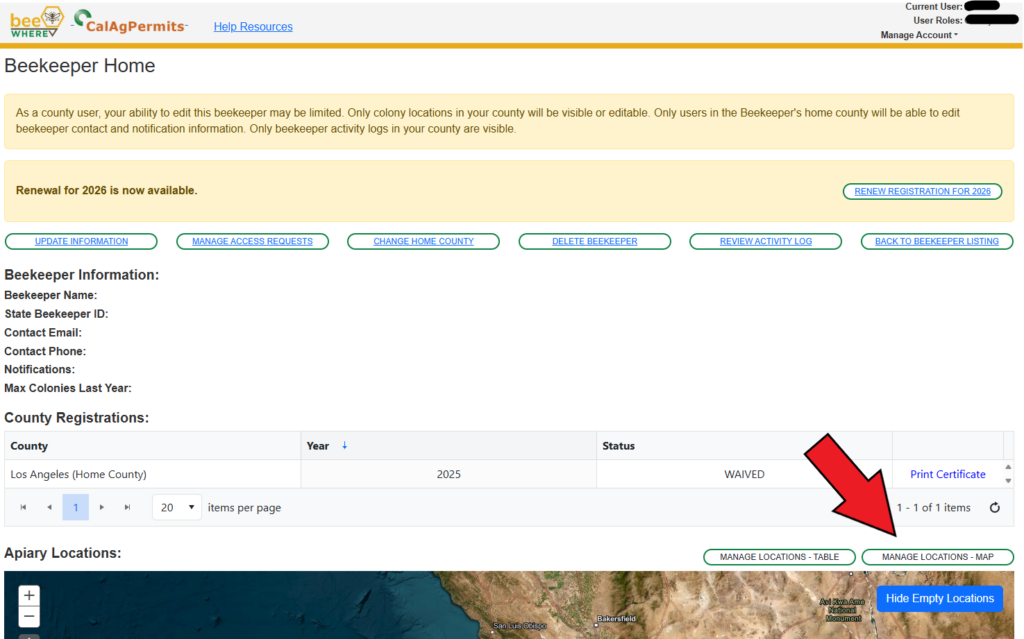
9. Access Apiary Location Map
Scroll down and click "MANAGE LOCATIONS - MAP" at the top right corner of the map.
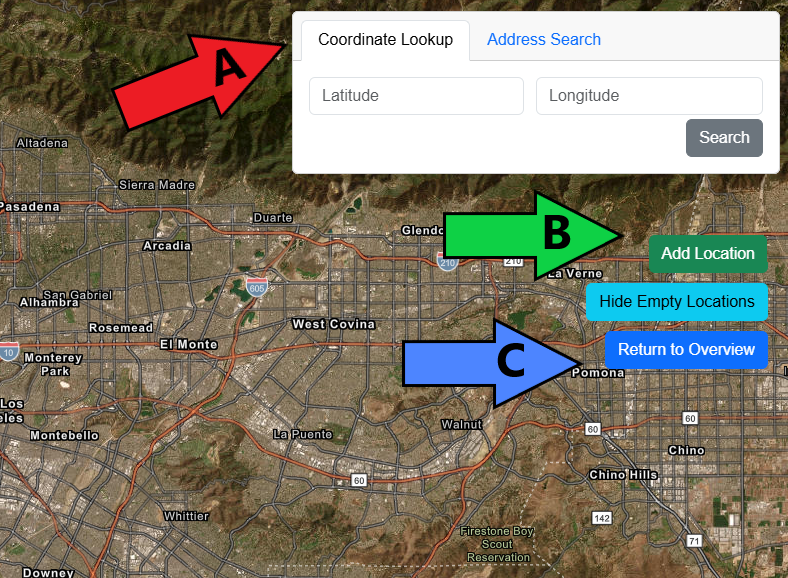
10. Add/Remove Colonies from Map
A: To find your apiary location on the map, enter either the GPS coordinates or address in the top right search bar. You may also locate your apiary by manually moving the map and using the zoom feature in the top left corner.
B: Once you find the area where your apiary is located, click the green "Add Location" button. Click on the map where the apiary is located, enter the address under "Location Name", update the number of colonies, and click "Add Location".
C: Once you have added all apiary locations, click the blue "Return to Overview" button.
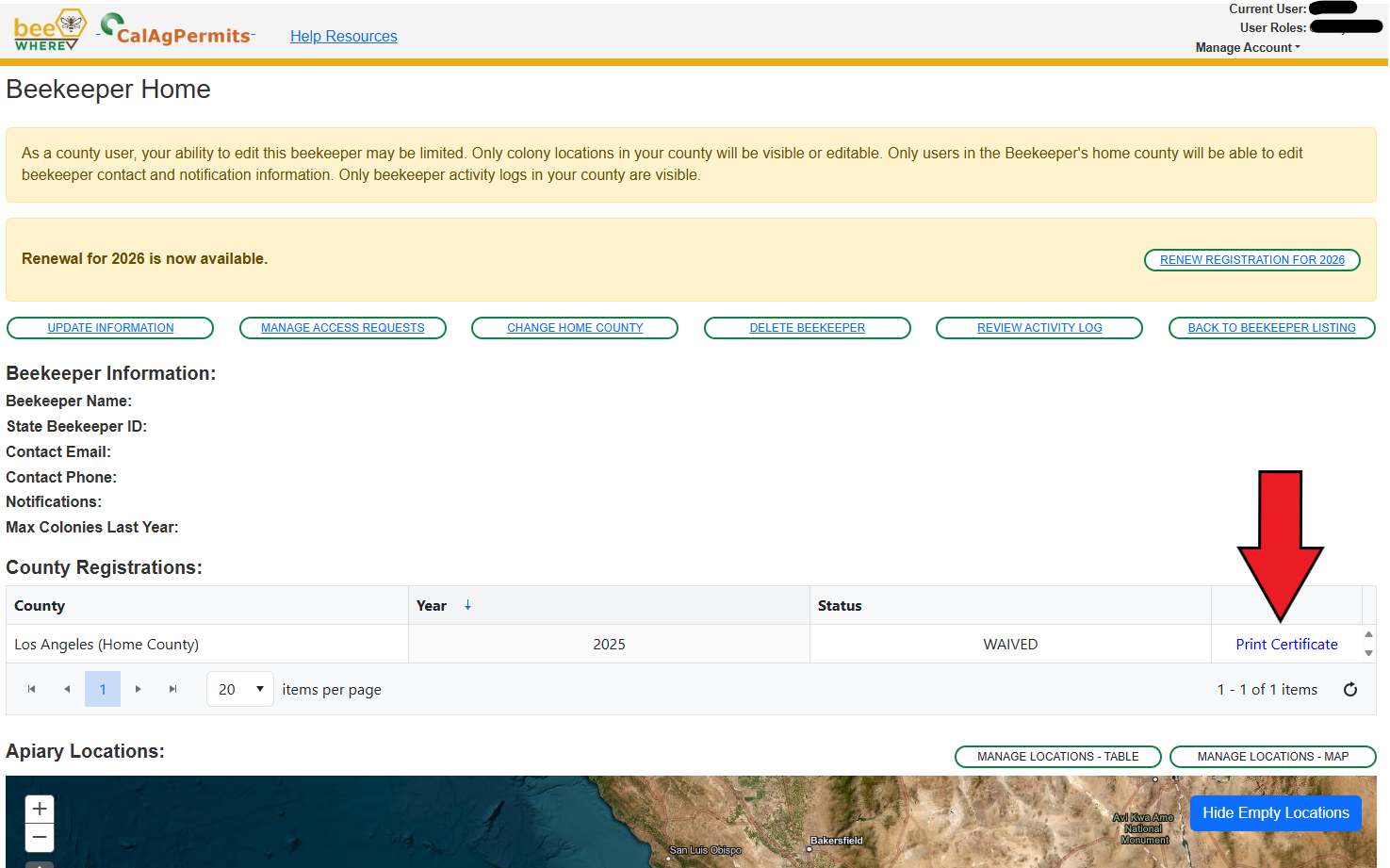
11. Save/Download Registration Certificate
To save a PDF of your BeeWhere registration, click "Print Certificate".
NOTE: The information above is provided for your convenience only. ACWM assumes no responsibility regarding the accuracy of the information provided.
If you have any questions regarding the beekeeping registration process, please call the Apiary Program Office at (626) 459-8894 or (626) 459-8895.